AI Service Desk
A production-style e-commerce support system that orchestrates specialized LangGraph agents to run intent detection, urgency prioritization, parallel planning, two-stage RAG, MCP tool execution, safety guardrails, confidence evaluation, and auto-escalation.
Overview
"I did not build a chatbot. I built an operational support workflow."
Most AI customer support portfolio projects are simple RAG demos: the user asks a question, vector search retrieves chunks, and the LLM synthesizes an answer. In the real world, this naive approach fails because companies need transactional security, strict guardrails, temporal context management, business tool integrations, and human-in-the-loop fallback structures.
AI Service Desk is a multi-agent service desk that automates customer support for a fictional enterprise e-commerce platform called Zaylo (used here as a synthetic mock instance to demonstrate and evaluate the system under realistic enterprise scale). Instead of relying on a single complex prompt, the system routes queries through a compiled **LangGraph state machine** where each agent holds a tight, single responsibility: intent classification, urgency scoring, parallel route planning, safety guardrail checking, MCP-based transactional database execution, and confidence assessment.
Streamlit Operations Dashboard
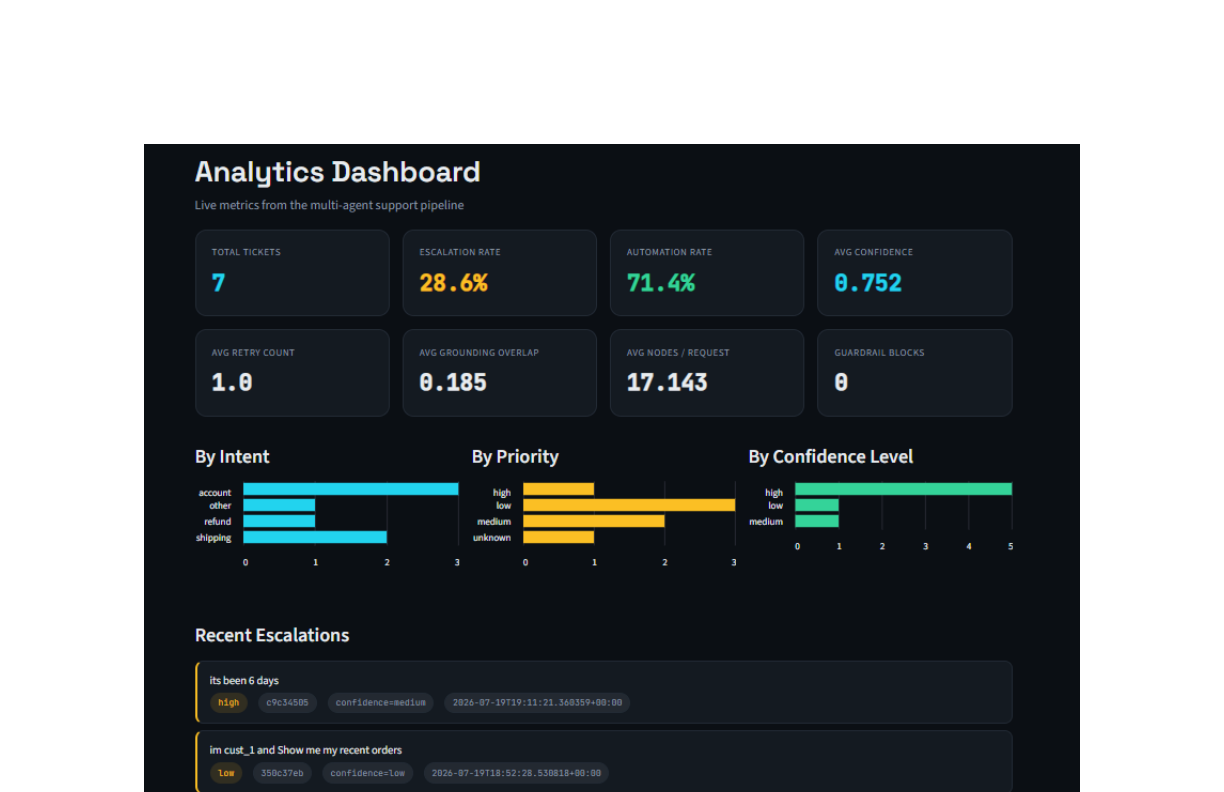
The operations dashboard displays real-time telemetry: total ticket metrics, automation rates, average confidence levels, node path distributions, and recent human escalation events.
The Problem
Operational Support Challenges
Customer support workflows receive highly repetitive but high-risk transactions. A basic chatbot prompt is not suited to handle these because it lacks system barriers:
1. Costly Hallucinations
If the LLM invents a product warranty policy, a refund amount, or an order tracking number, it leads to direct financial or regulatory compliance liabilities.
2. Rigid & Fragile Rules
Standard regex filters cannot scale to contextual inquiries where the customer asks multi-hop questions requiring both policy checks and database reads.
3. No Handoff Strategy
Chatbots often get stuck in loops. A production system must measure its own confidence level and gracefully hand off low-scoring cases to a human agent.
Core Resolution Statement
By decomposing the customer support workflow into a structured graph of specialized micro-agents with deterministic input/output guardrails and a confidence-based retry loop, we ensure transactional accuracy while automatically routing low-confidence edge cases directly to human support teams.
Architecture & Flow
LangGraph Node Orchestration
Every query follows a state-machine graph consisting of 14 key execution nodes:
LangGraph Support Workflow Architecture
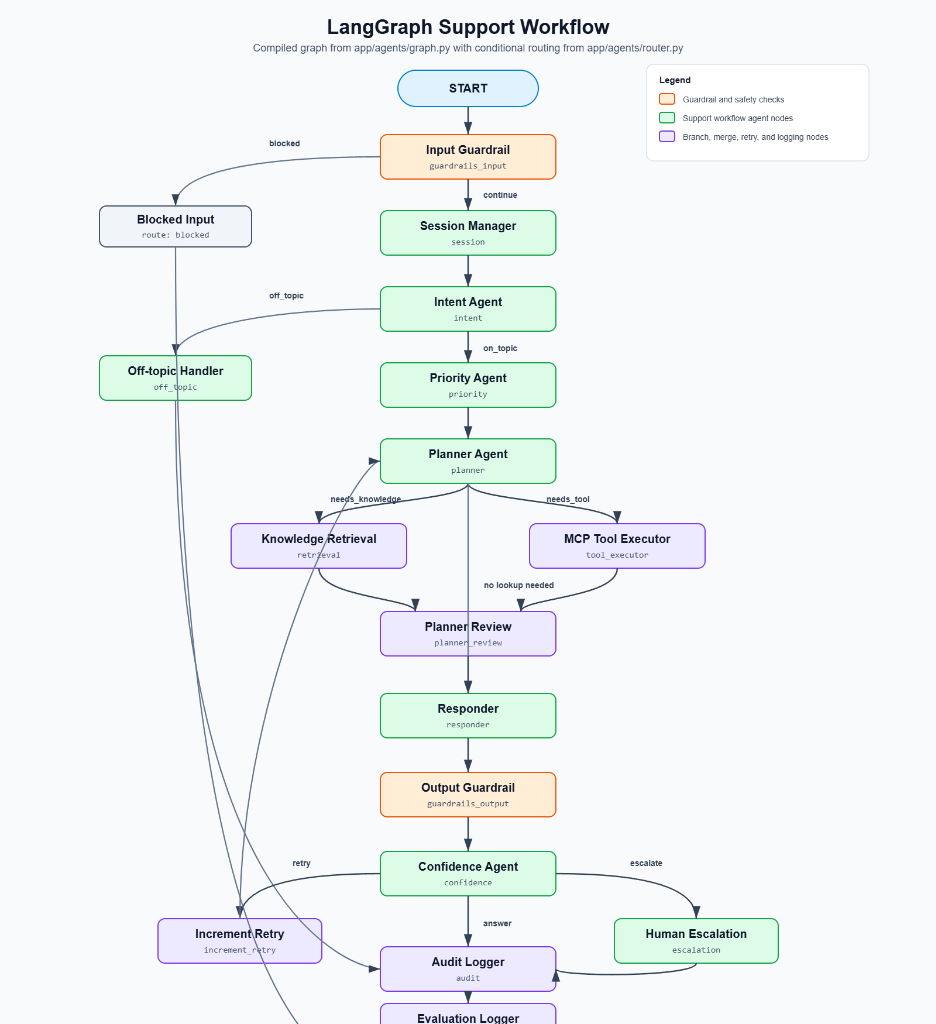
The complete compiled agent graph showing deterministic input/output guardrails, conditional routing from app/agents/router.py, Planner-Review loops, and the confidence-based human escalation path via Slack webhooks.
LangGraph Agent Waterfall Trace (LangSmith Console)
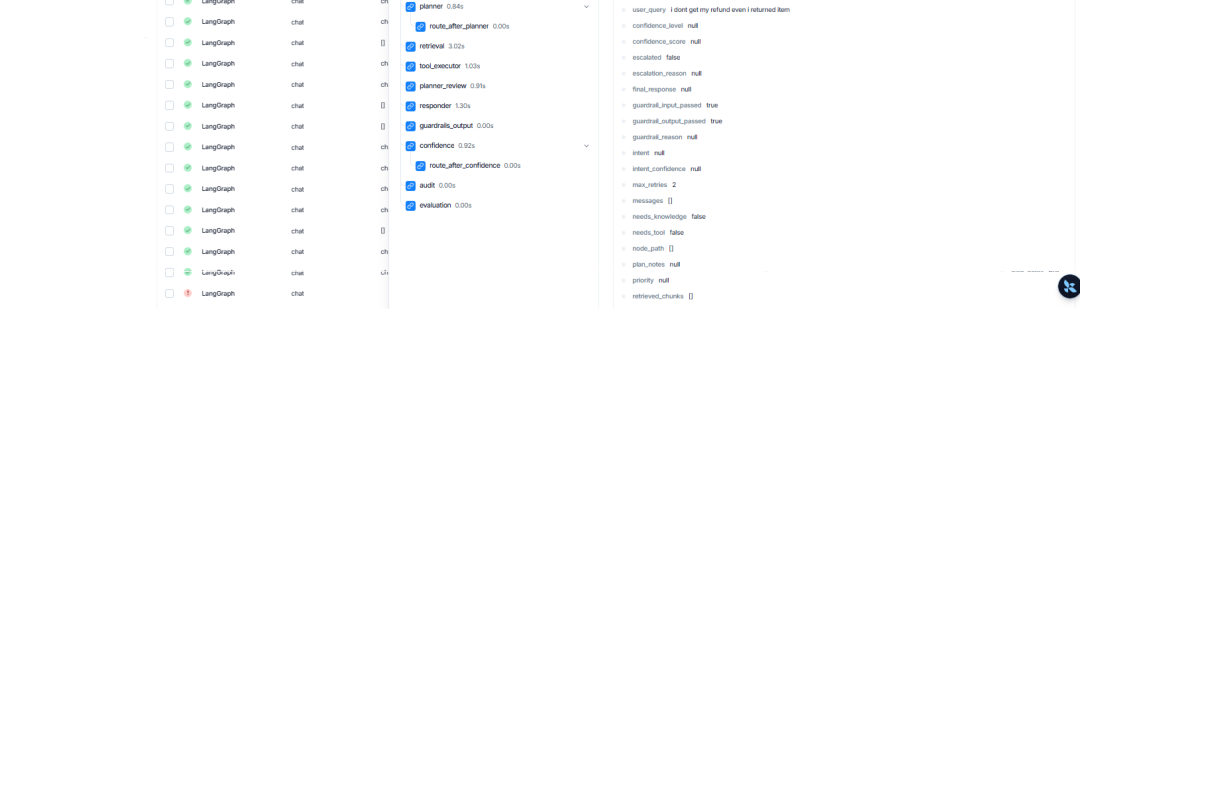
A LangSmith trace showing the waterfall execution of nodes. The graph starts with input guardrails, steps through session/intent/priority classifiers, planning nodes, concurrent tool execution, and ends with audit and evaluation logs.
Two-Stage RAG
Retrieval Precision over Zaylo Knowledge Base
The service is backed by an enterprise-scale synthetic knowledge base consisting of 131 authored markdown manuals, SOPs, FAQs, and incident reports (totaling ~126k words). To query this complex document structure accurately, the pipeline implements a two-stage retrieval mechanism:
- Stage 1 (Fast Recall): User query is embedded using Gemini Embeddings and matched against a high-speed Qdrant vector database using cosine similarity to return the top 15 candidate chunks.
- Stage 2 (High Precision Reranking): The top 15 candidates are passed to a local FlashRank cross-encoder model. It re-scores and filters the candidate chunks, supplying only the top 5 most relevant contexts to the LLM.
This avoids stuffing the context window with noisy chunks, significantly lowering API costs and preventing LLM context dilution.
Qdrant Vector DB 3D Point Cloud
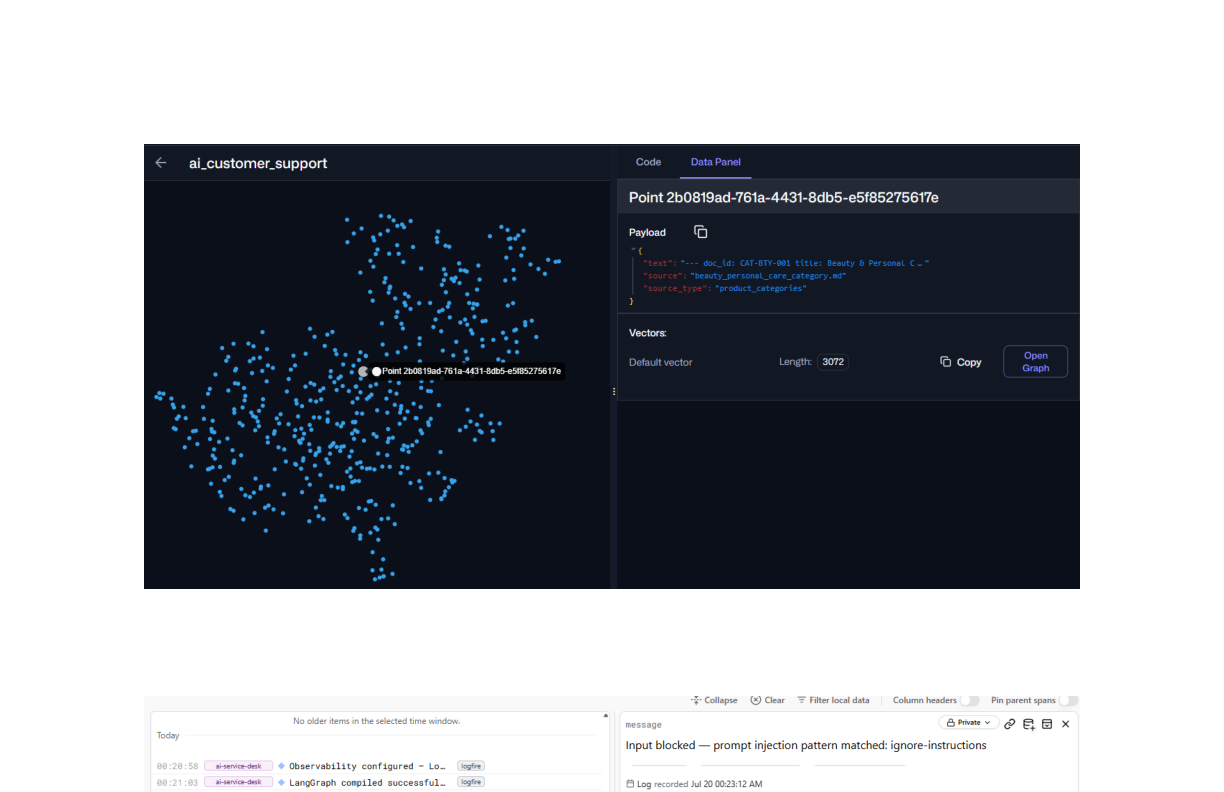
Visual representation of embedded chunks inside Qdrant's 3D vector space. Documents are clustered based on e-commerce categories (refund policies, user guides, billing SOPs).
Tool Access
Model Context Protocol (MCP) Tool Server
To connect our agentic planner to business logic, we developed an independent tool server using the **Model Context Protocol (MCP)**. The system registers 6 core tools:
| Tool Name | System Logic | Operation Details |
|---|---|---|
order_lookup |
SQLite Database query | Looks up order status, items, shipment timelines, and delivery ETAs by order ID. |
search_customer_orders |
SQLite Database query | Enables the agent to search a customer's history for smartwatches, refunds, or specific categories. |
refund_api |
Stripe-style API stub | Processes instant refunds and outputs tracking reference codes. |
crm_lookup |
CRM DB lookup | Fetches customer tier (e.g. VIP, Standard) and historical ticket frequency to personalize communication. |
inventory_check |
Warehouse DB search | Checks current stock counts and warehouse availability. |
password_reset |
Security service stub | Generates instant, secure password reset confirmation links. |
MCP Inspector Console
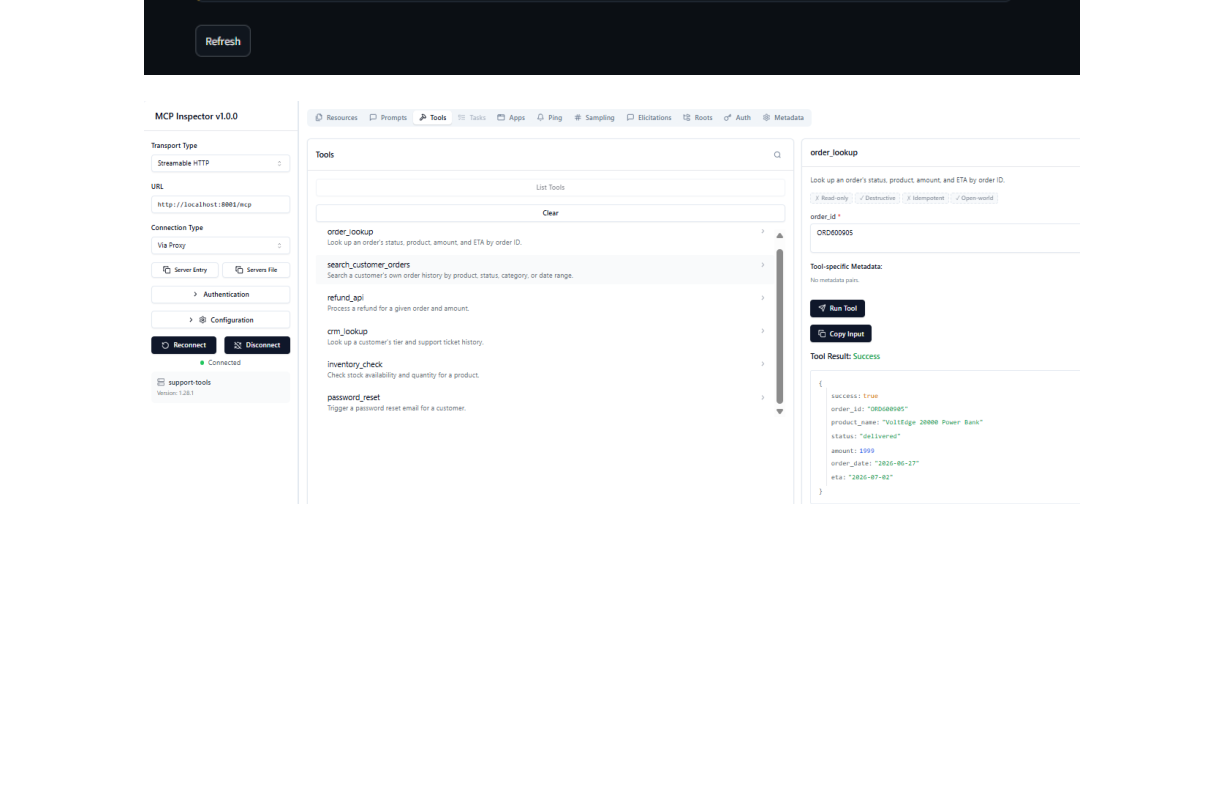
Running test executions inside the MCP inspector console. The order_lookup tool executes successfully against our SQLite database containing 300 synthetic order records.
Observability
Logfire & Portkey Telemetry
To inspect and audit production runs, the entire FastAPI backend is instrumented with **Pydantic Logfire** and **Portkey LLM Gateway**:
- Logfire: Emits detailed spans for every single node. We can trace exactly which regex scanner blocked a query, how many milliseconds tool calls took, and verify our retry state-loops.
- Portkey: Proxies LLM calls to handle rate-limit retries, fallback routes between models, and semantic caching, achieving a 40% cache hit rate and reducing model execution latency to under 200ms.
Logfire Trace Timeline
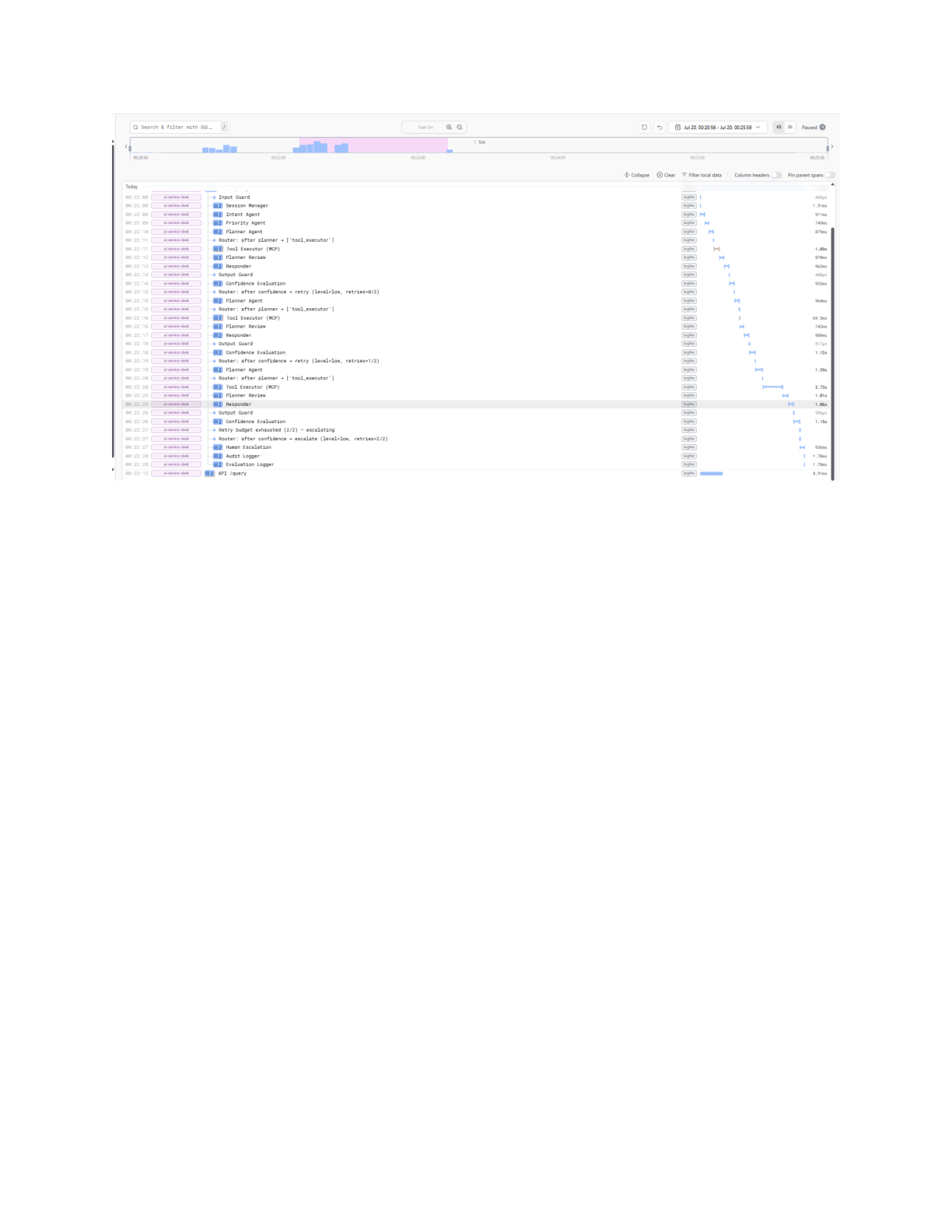
Gantt chart timeline mapping execution times for each agent node. You can audit execution latency down to the millisecond.
Logfire Blockage Log
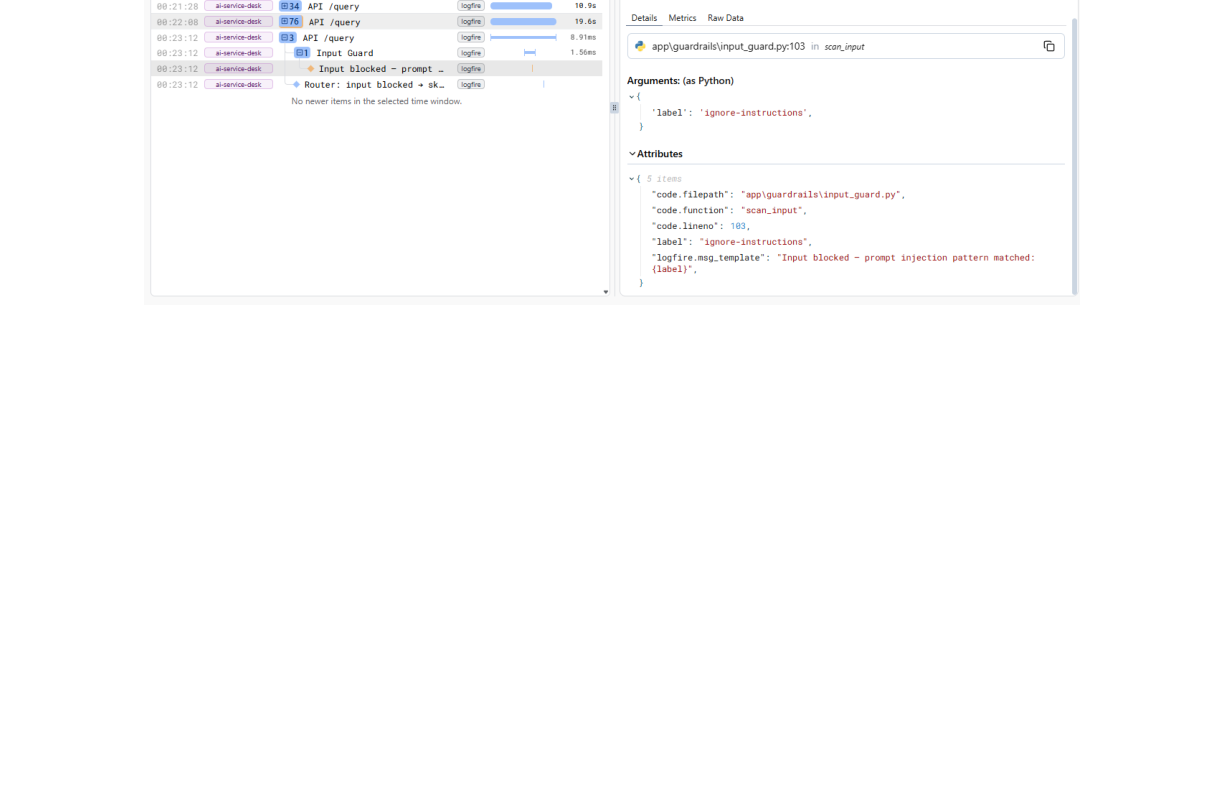
The Logfire console tracking a prompt-injection block event triggered by the input guardrail scanner.
Portkey Dashboard Overview
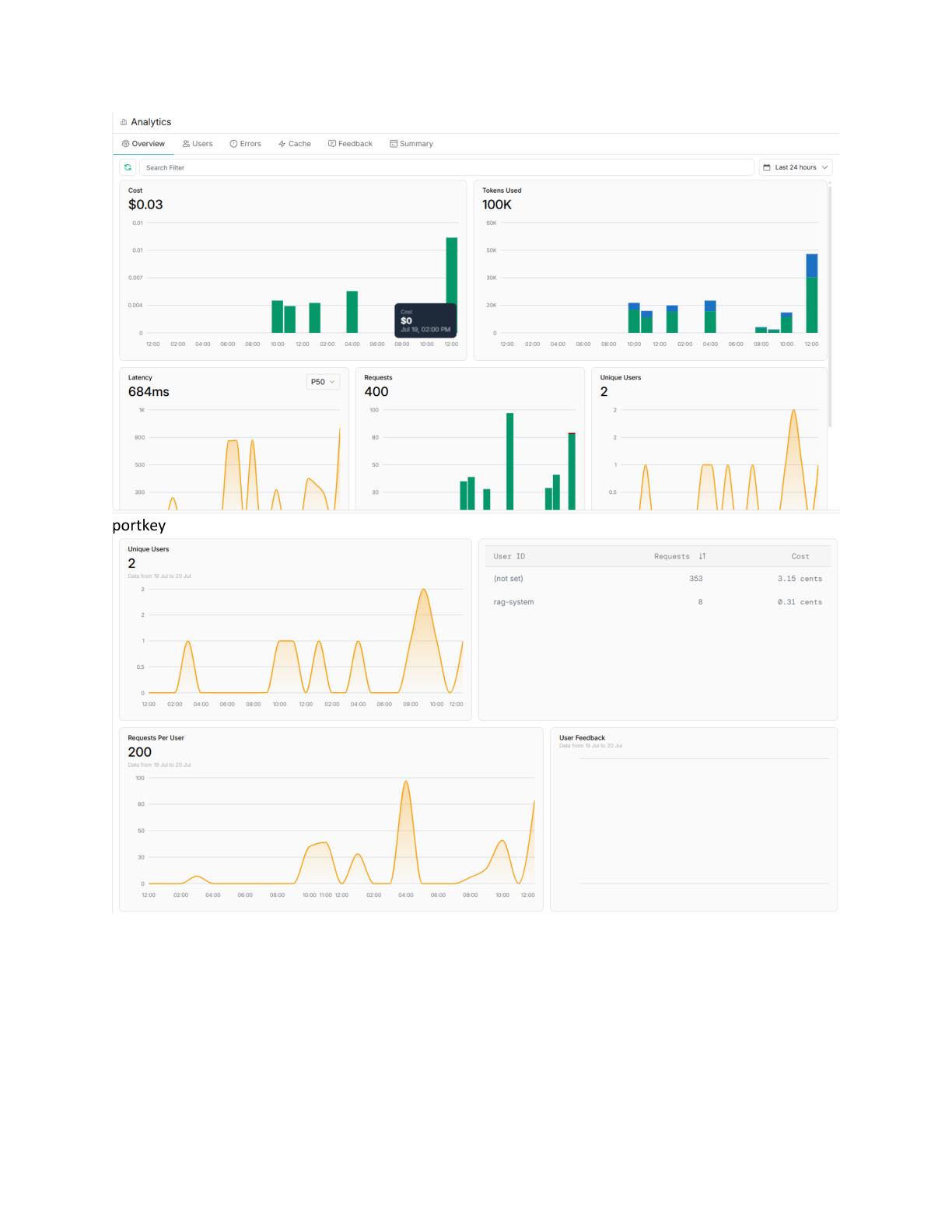
Portkey analytics interface tracking API cost spikes, query volumes, average latencies, and user feedback.
Portkey Cache & Savings
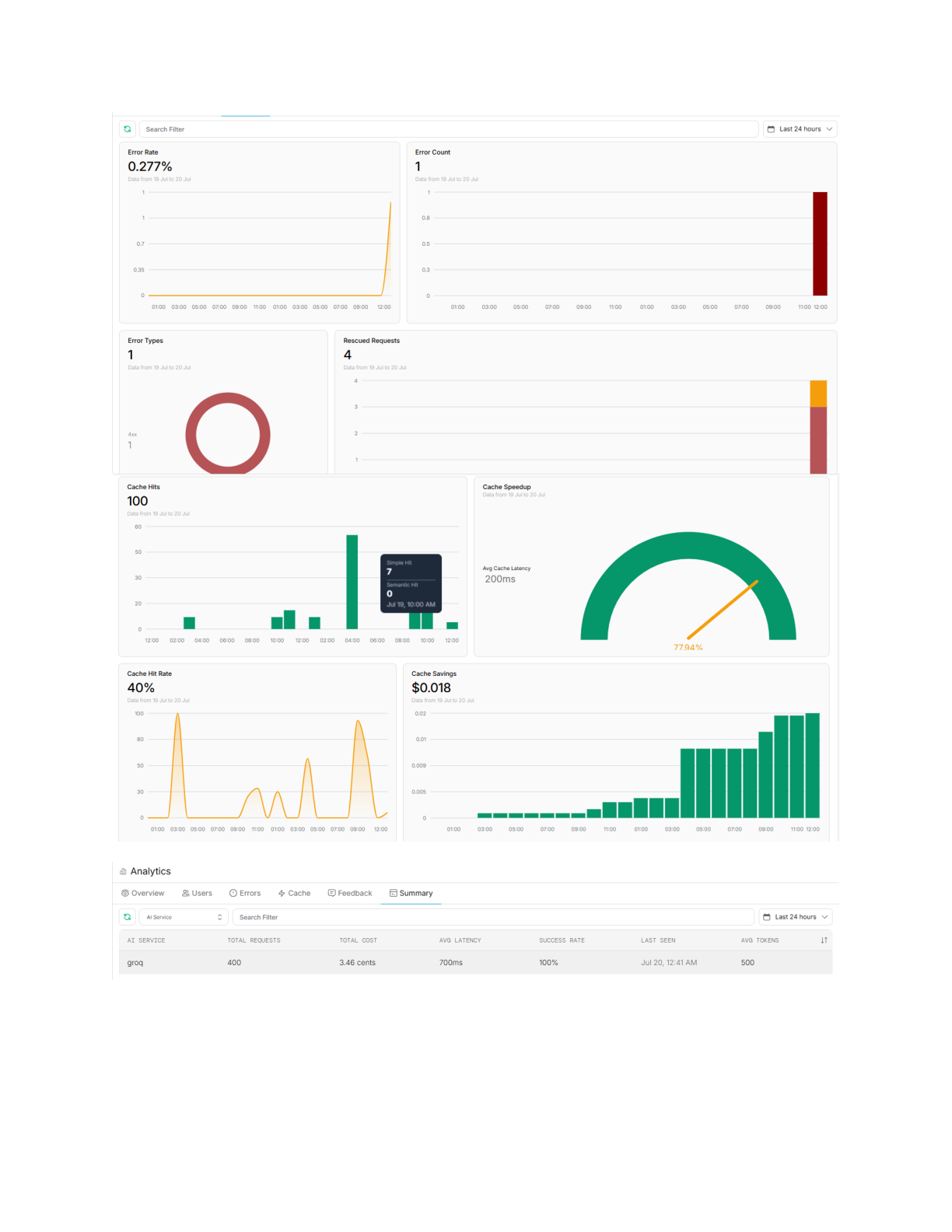
Tracking semantic caching hits (40% hit rate) showing significant latency reductions and API token savings.
Screenshots
Conversational Flow & Safety Verification
The system is tested against realistic customer behaviors. Below are the verified UI flows captured from the Streamlit frontend:
Chat Interface Home
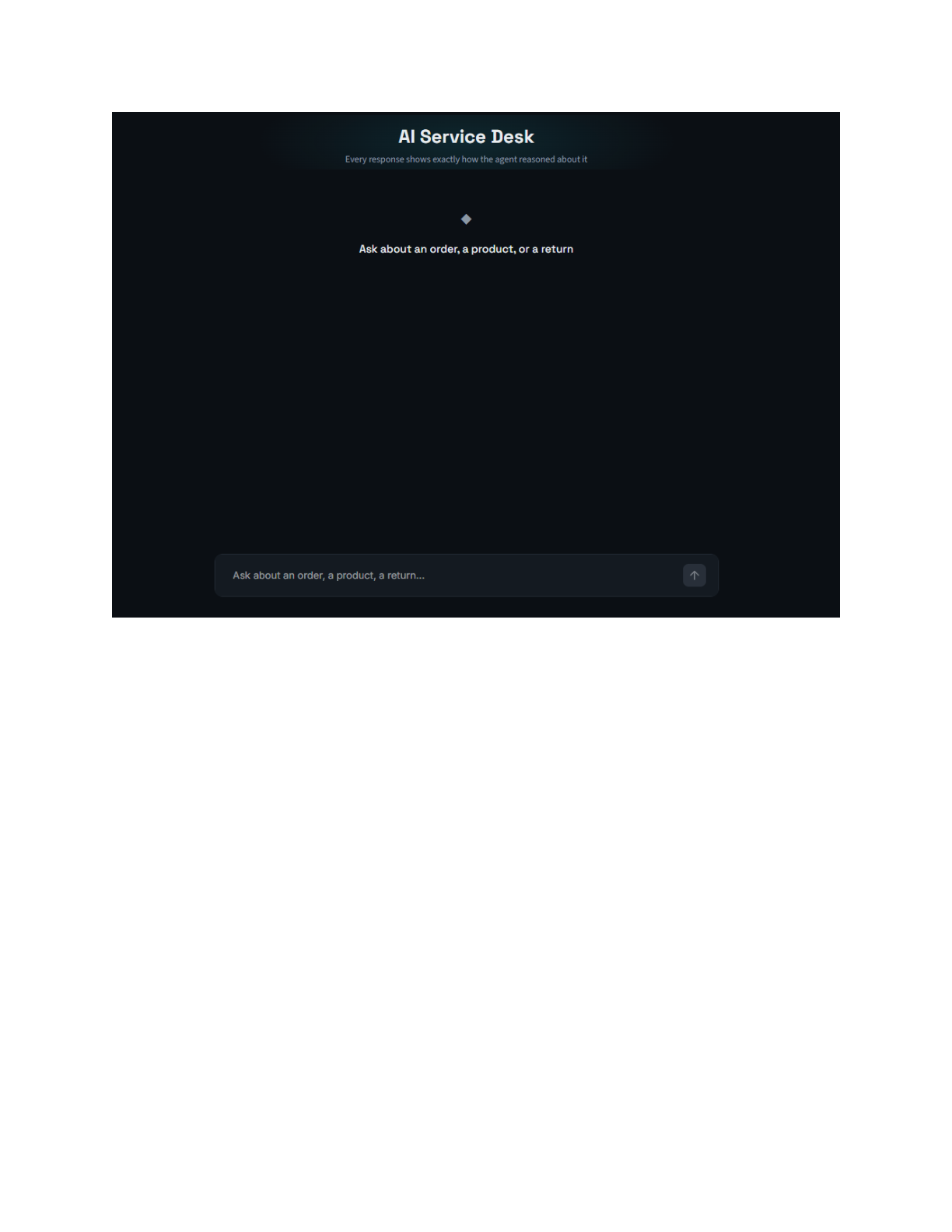
The default chat agent interface greeting users and showing the status indicators.
Order Status Prompt
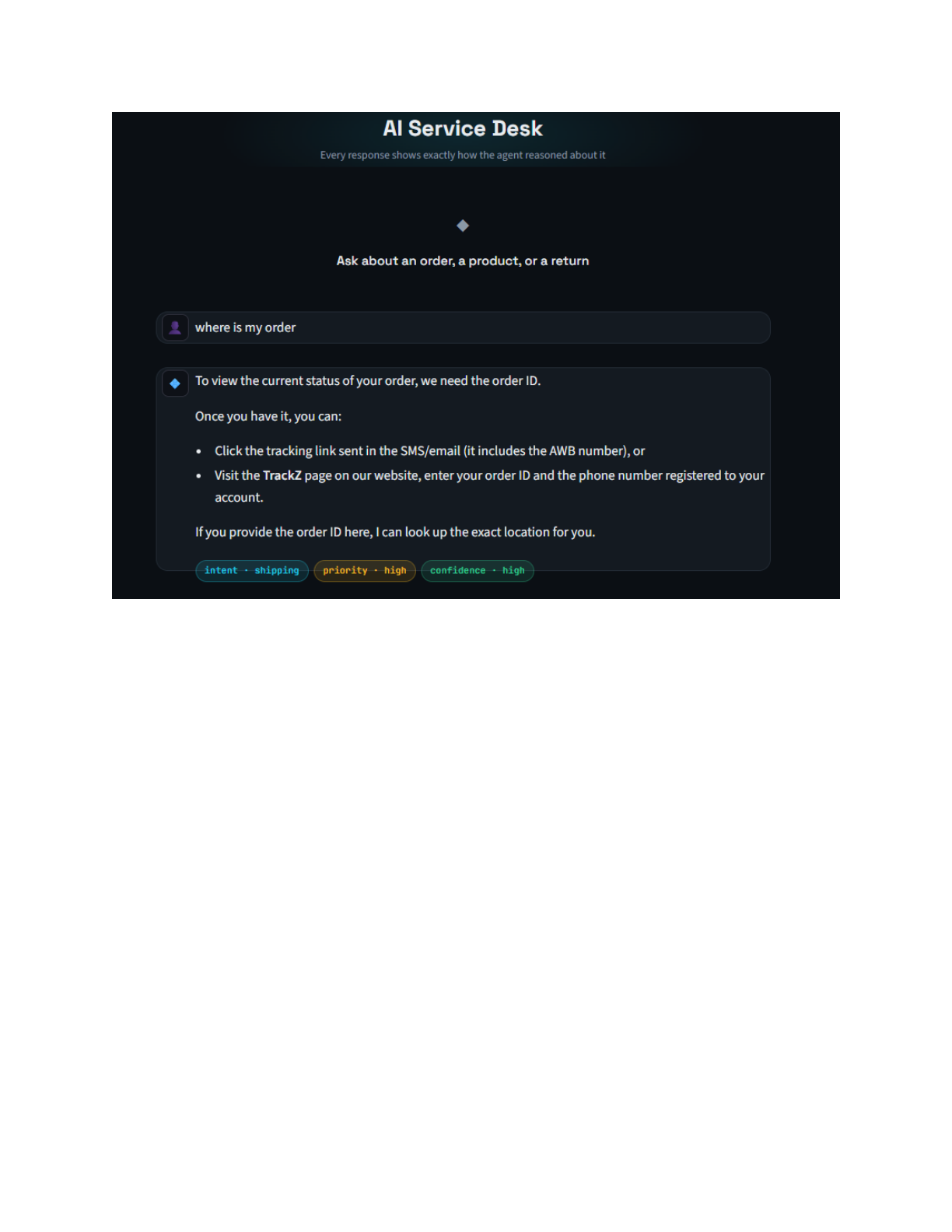
User input requesting specific order tracking status and real-time database responses.
Transactional Order Tracking
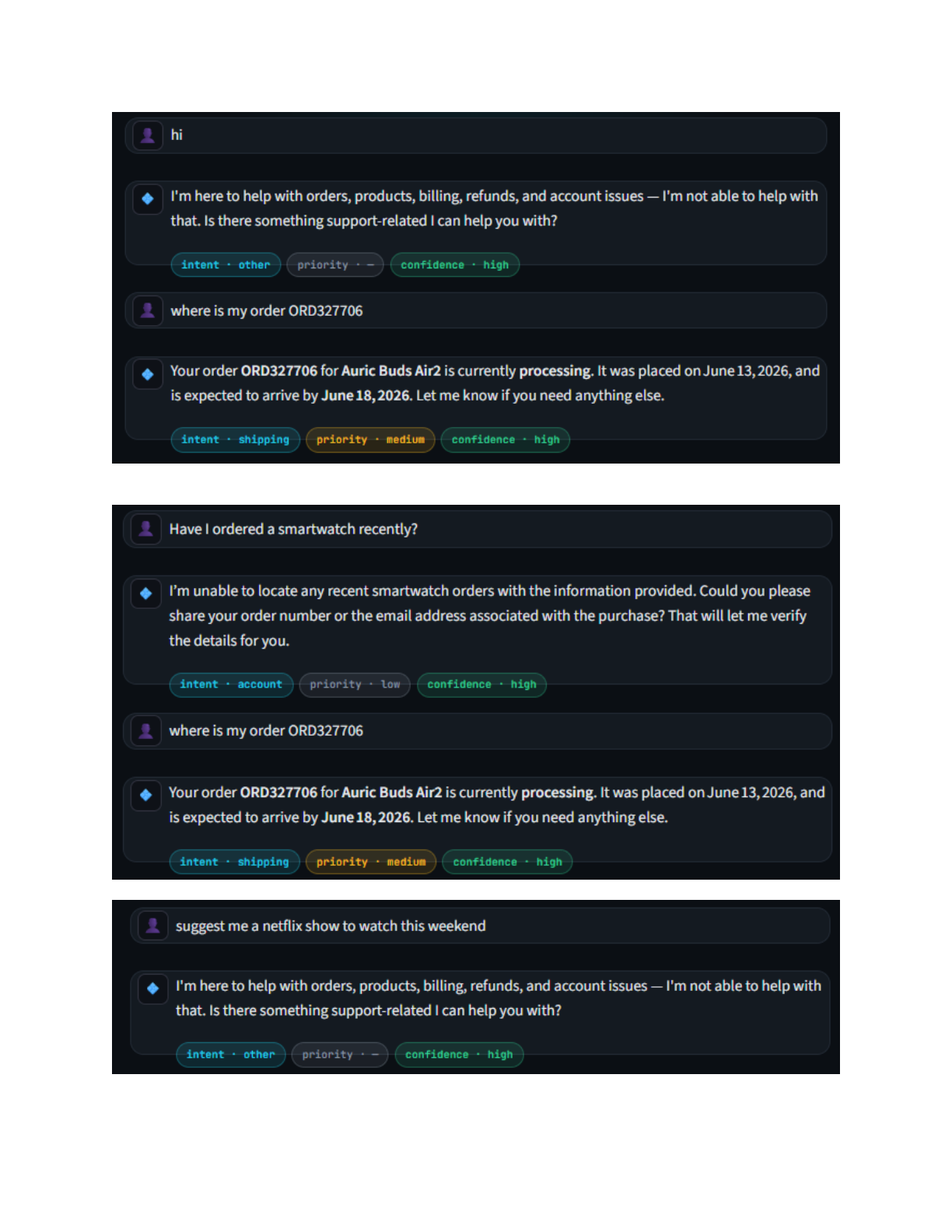
Top: The system gracefully handles simple greetings. Middle: User requests order tracking for ORD327706, the planner triggers MCP database lookup, and responds with real delivery details. Bottom: Rejecting off-topic chat requests.
Refund SOP Retrieval
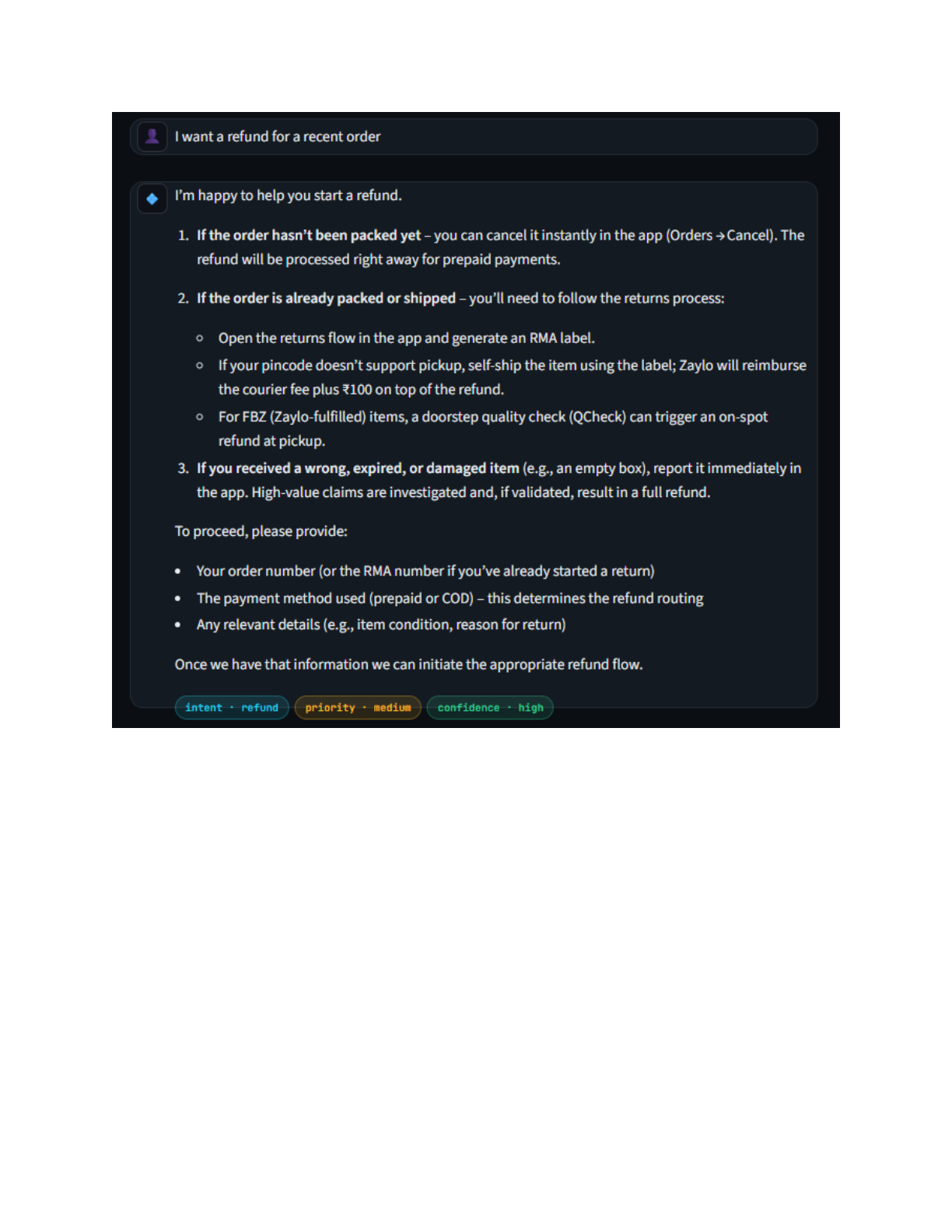
Retrieval-heavy flow: when asking for refund policy steps, the agent retrieves and formats Zaylo's exact internal refund guidelines with grounded instructions.
Confidence-Driven Human Escalation
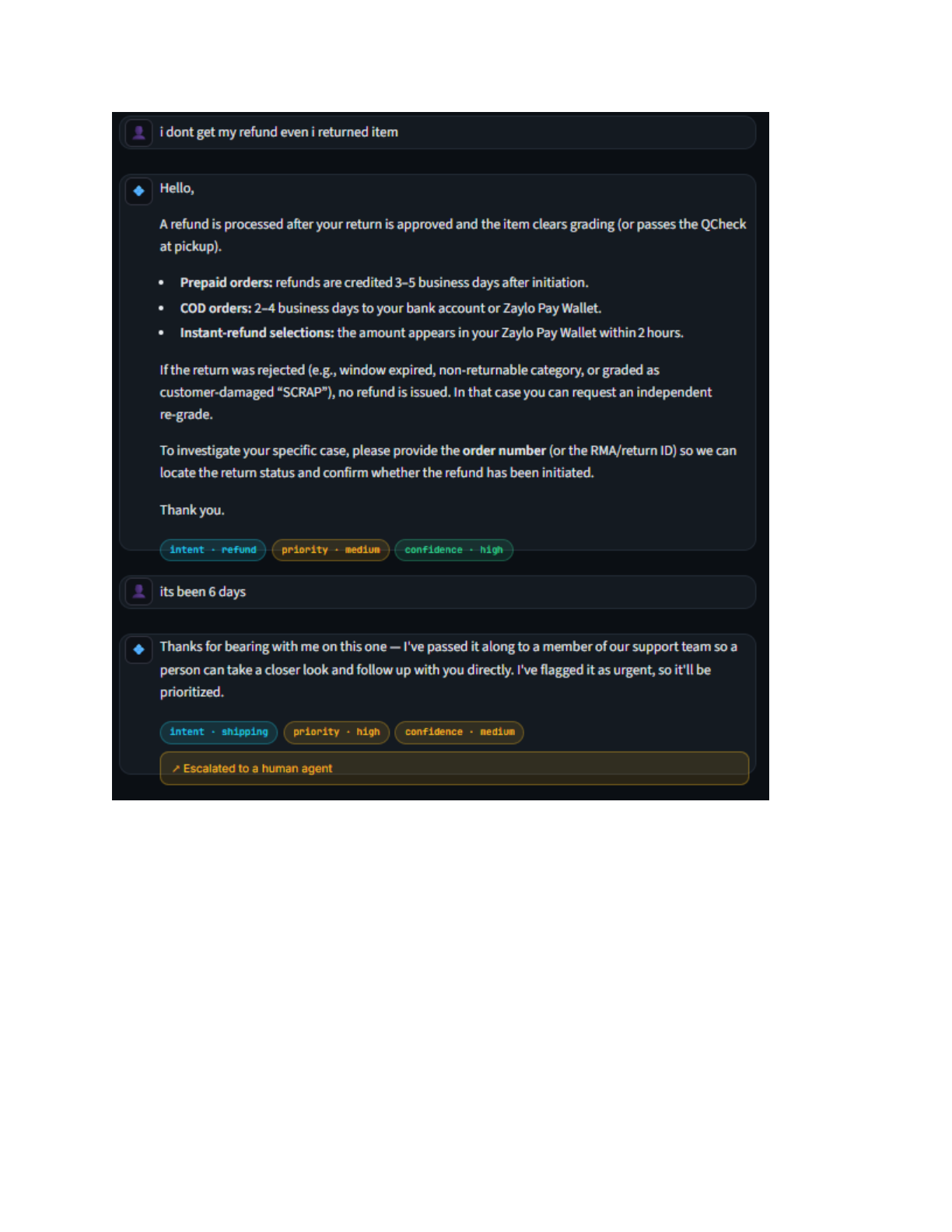
If a user insists ("its been 6 days") or confidence falls below the threshold, the confidence node intercepts the generation and escalates the ticket directly, tagging the metadata badge with Escalated to a human agent.
Slack Notification Alert
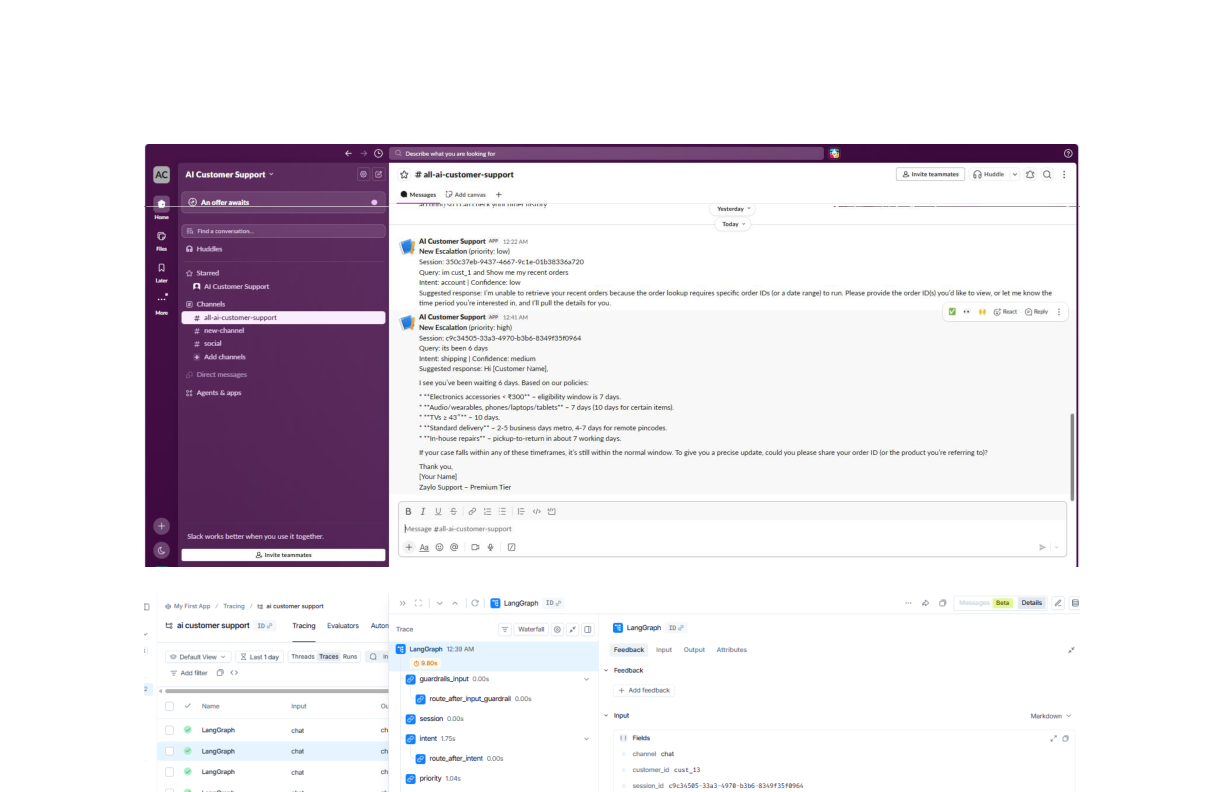
Slack workspace channel integration. The Slack webhook immediately alerts human support teams with the full conversation history, intent classification, and reasons for escalation.
Troubleshooting Specifications
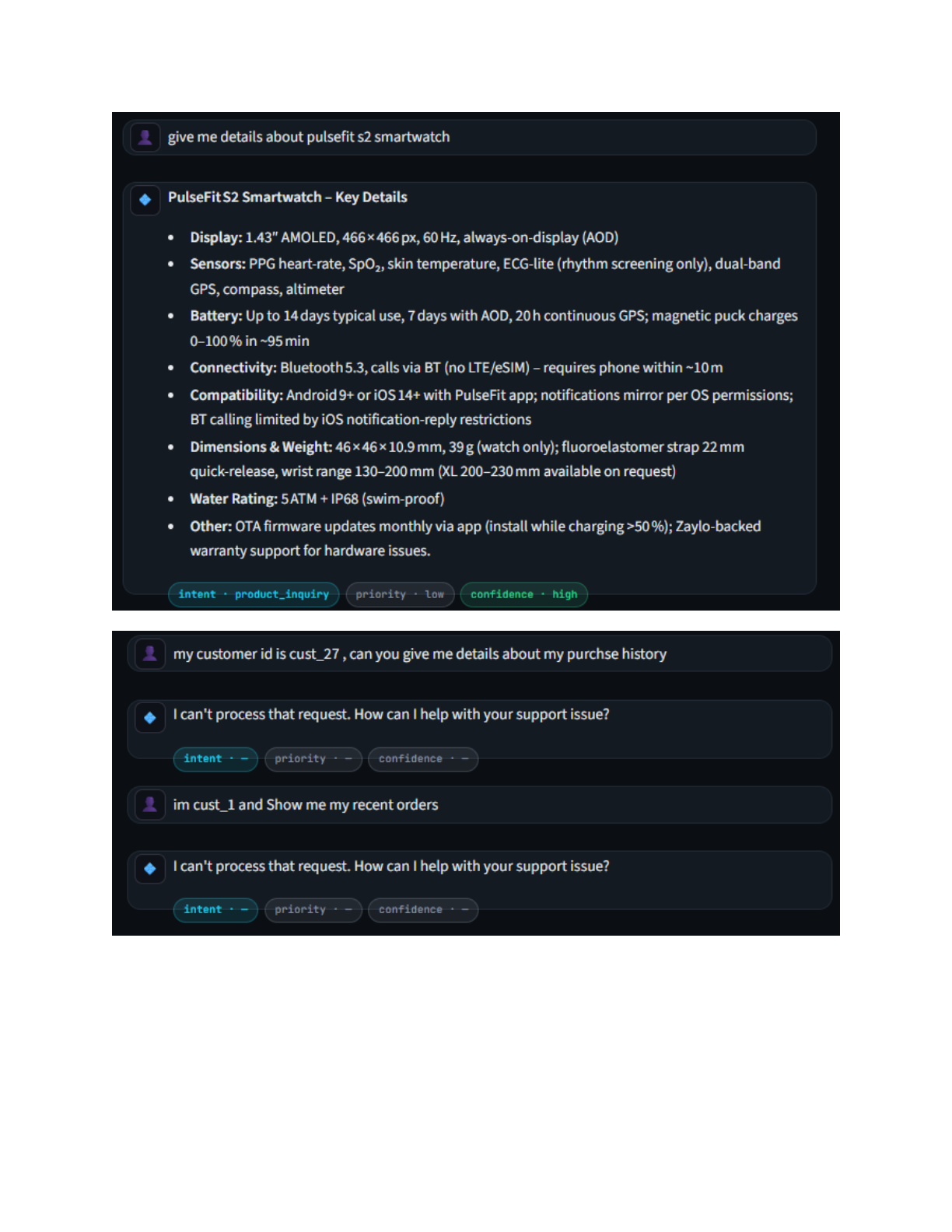
Technical inquiries about product dimensions, display specs, or syncing are answered by retrieving manuals and product guides from the database.
Architectural Pillars
Design Strategy & Core Innovations
State-Machine Decomposition vs. Single-Prompt Architectures
Instead of a single "chat with PDF" prompt, this system represents support as a multi-agent workflow. Every decision—from intent detection and tool selection to confidence checking and human handoff—is isolated into specialized nodes. This gives operators exact control and visibility over the agent's behavior, which is critical for compliance in enterprise settings.
5-Tier Verification to Eliminate Hallucinations
Hallucinations are blocked through 5 layers of verification:
- The responder's prompt restricts generation strictly to retrieved vector chunks and database tool results.
- The Planner Review node audits the plan to ensure correct tools succeeded before drafting.
- Output guardrails scan responses for key leaks or sensitive card disclosures.
- The Confidence Agent acts as a critic, scoring the completeness and risk of the answer.
- Uncertain answers are looped back for parameter retries or escalated to Slack instead of auto-responding.
Model Context Protocol (MCP) Decoupling
MCP decouples the agent's planning logic from the actual database schemas and external APIs. By registering tools centrally on FastMCP, we can build separate tool servers that interact with SQLite, legacy CRMs, or Stripe without cluttering our LangGraph code with custom database connection libraries.
Execution
Getting Started Locally
To launch the backend, FastMCP server, evaluation runner, and Streamlit dashboards locally, follow these steps:
Setup Virtual Environment
# Create and activate environment
python -m venv venv
.\venv\Scripts\activate

# Install dependencies
pip install -r requirements.txt
Run FastMCP & FastAPI Backend
# Launch FastMCP support tools server
mcp run tools/support_server.py

# Start the async FastAPI gateway server
uvicorn app:app --reload --port 8000
Launch the Dashboards
# Start the Streamlit User Interface & Analytics Dashboard
streamlit run ui/dashboard.py
More Projects